Server IP Address
This option enables you to update the OVOC server’s IP address. This option also enables you to modify the OVOC server host name.
| ● | When this operation has completed, the OVOC automatically reboots for the changes to take effect. |
| ● | This option does not support IPv6 interfaces. |
| ➢ | To change Server’s IP address: |
| 1. | From the Network Configuration menu, choose Server IP Address, and then press Enter. |
OVOC Server Manager – Change Server's IP Address
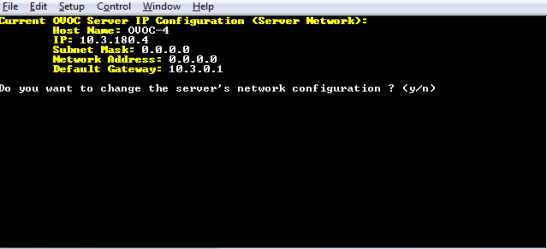
| 2. | Configure IP configuration parameters as desired. |
Each time you press Enter, the different IP configuration parameters of the OVOC server are displayed. These parameters include the Server Host Name, IP address, Subnet Mask, Network Address and Default Gateway.
| 3. | Type y to confirm the changes, and then press Enter. |
IP Configuration Complete
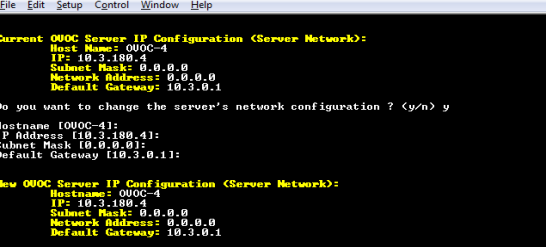
Upon confirmation, the OVOC automatically reboots for the changes to take effect.